

Survey Issues & Tips
What's on this page
About Survey Issues & Tips
The Issues and tips panel reviews your surveys to provide recommendations and flag any errors that should be corrected. It helps researchers ensure their surveys collect high-quality data. ExpertReview has 3 major functions:
- Recommending how users can improve survey elements and providing documentation for research-based explanations on these recommendations.
- Flagging errors in the survey that may affect your results.
If your license includes Issues and tips, this feature is available in almost every type of project where you customize a survey. This includes survey projects, conjoints, MaxDiff, and all Employee Experience projects.
Qtip: This page describes functionality available within the survey builder. For more information on review within Data & Analysis, visit Response Quality Functionality.

Using Issues & Tips
There are several ways to access the side panel and use its recommendations.
Your survey will be evaluated automatically as you build it, and you’ll see suggestions in the toolbar at the top of your survey. Click these icons to open the Issues and tips menu. You can also open the menu by clicking Tools, selecting Review, and clicking Analyze survey.
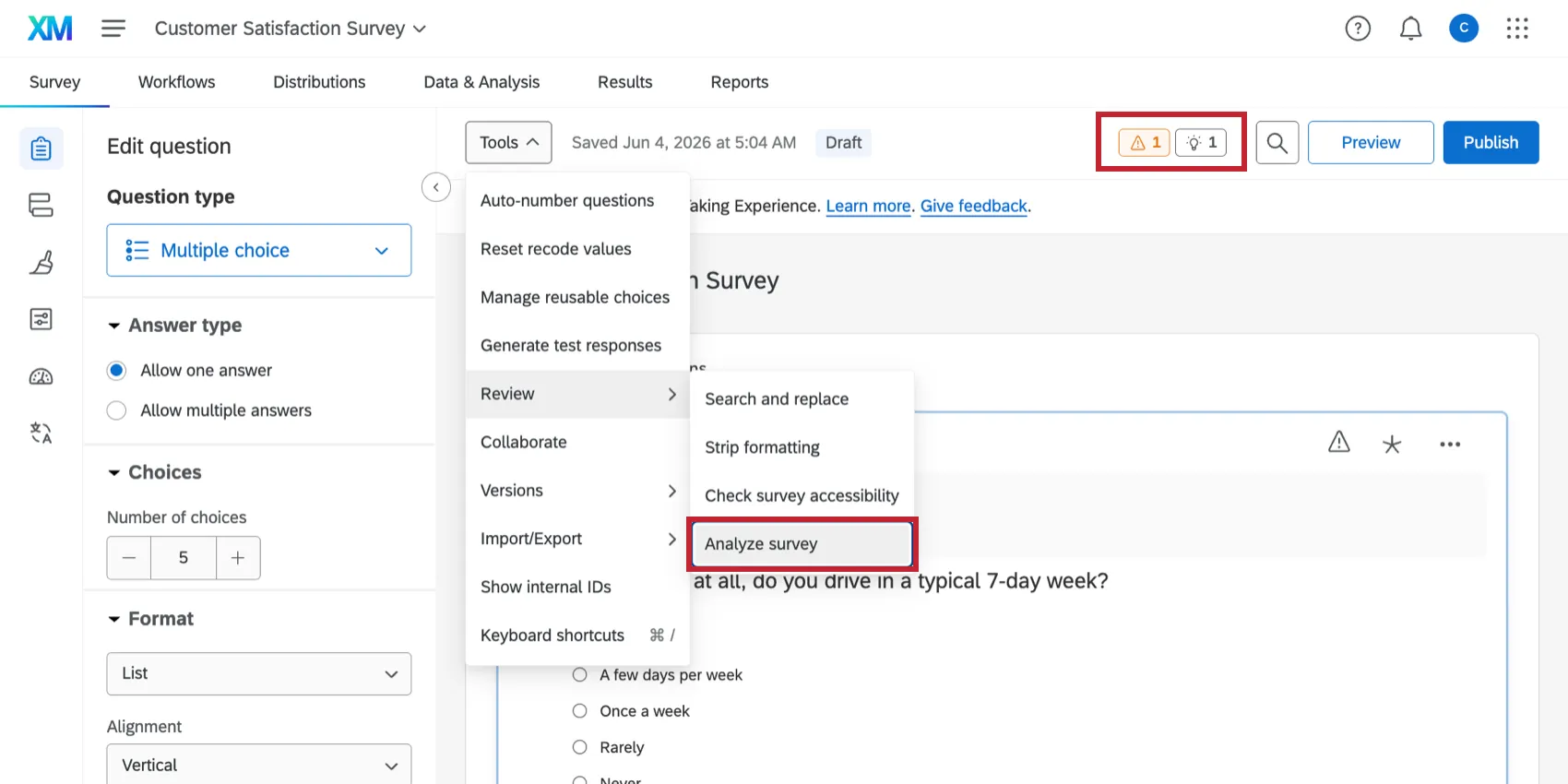
You can also click Publish to analyze your survey before it is published.
Qtip: If you do not want these recommendations for your survey, you can turn it off in the survey options. This feature can only be disabled survey-by-survey.
Menu Options
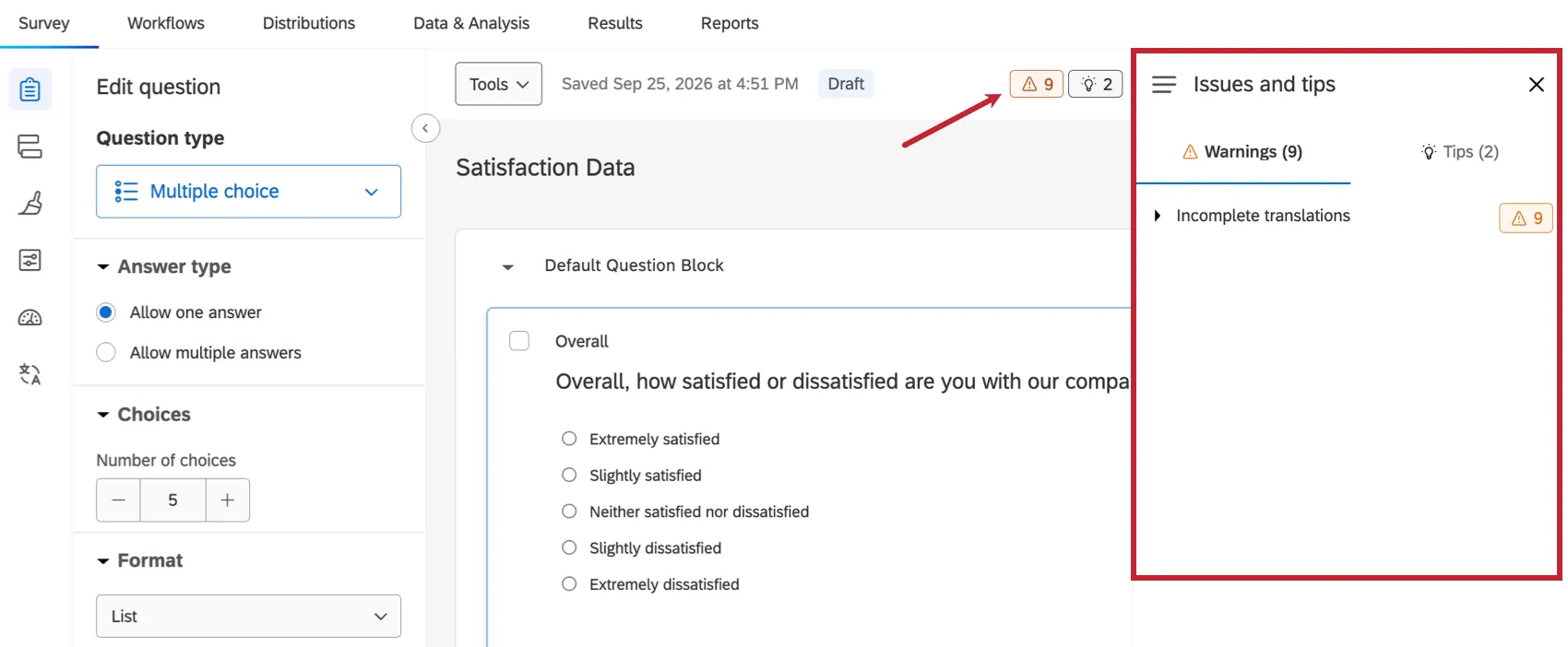
Once open, the Issues and tips menu has the following options:
- Warnings: Click the Warnings tab to view warnings about any issues in your survey that need to be resolved.
- Tips: Click the Tips tab to view tips for optimizing features within your survey.
- Passed: Click the hamburger menu and select Passed to view issues that have already been improved in your survey.
What Issues & Tips Are Flagged?
The Issues and tips menu provides recommendations based on the following:
- Methodology: Recommended best practices on building your survey to elicit the best data from your respondents.
- Survey Errors: A check for common mistakes made during the survey building process that may cause your survey to not function properly.
- Compliance: A check to verify that you are complying with WCAG accessibility requirements.
- Sensitive Data Requests: Once a Brand Administrator sets up a Sensitive Data Policy, ExpertReview will flag any sensitive data you are requesting in your survey.
- Fraud Detection: Recommended survey options that will increase your responses' quality by cutting down on bots and cheaters.
Review the linked pages above for more information on the specific items ExpertReview looks for.
That's great! Thank you for your feedback!
Thank you for your feedback!